
If you’re building an online store on WordPress, choosing the right wordpress plugins isn’t just helpful — it’s the difference between a smooth, high-conversion shopping experience and a store that leaks sales. With thousands of plugin options promising “faster sales,” “better SEO,” and “advanced features,” most new store owners feel overwhelmed before they even upload their first product.
Here’s the truth:
The right plugins can automate 70% of your store’s workload, boost conversions, and help you run your e-commerce business like a pro. The wrong ones can slow down your site, break checkout, and cost you money.
In this well-researched guide, we’ll explore the best wordpress plugins for e-commerce, backed by hands-on experience, industry insights, and data from trusted sources like WooCommerce, HubSpot, and independent WordPress performance studies. Instead of giving you a generic “Top 10 Plugins” list, this article highlights why each plugin matters — and when you should or shouldn’t use it.
Best WordPress Plugins for E-Commerce (2025 Edition)
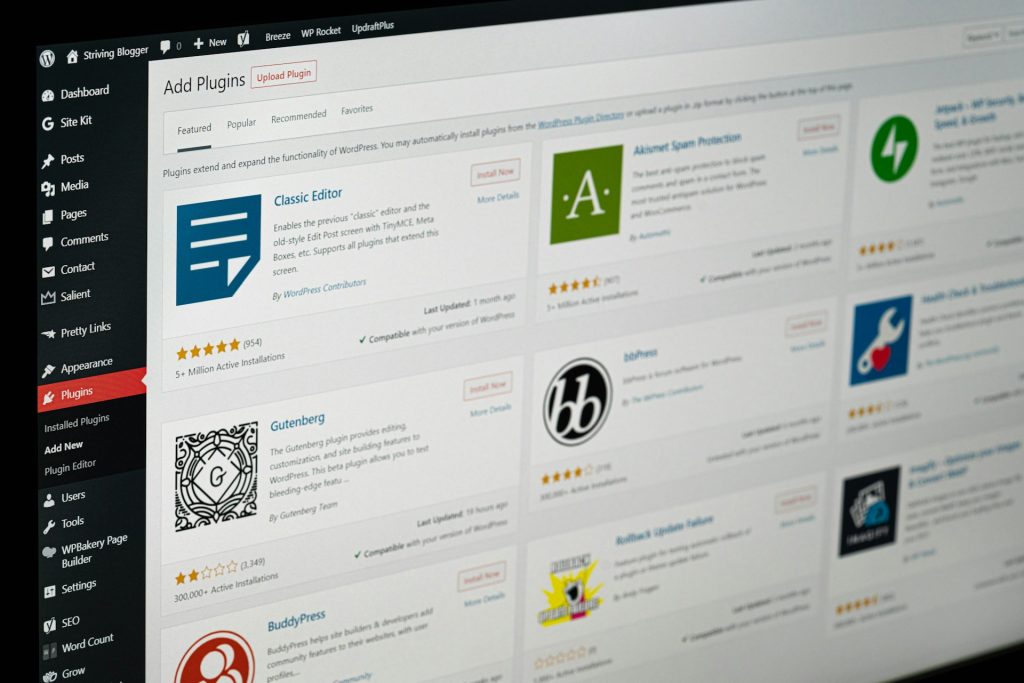
1. WooCommerce — The Foundation of WordPress E-Commerce
WooCommerce remains the most powerful and flexible solution for setting up a complete store. It seamlessly integrates with most wordpress plugins, making it the go-to choice for beginners and enterprise brands alike.
✔ Best For
- Complete store setup
- Physical or digital product selling
- Integration with payment gateways like Stripe & PayPal
✔ Why I Recommend It
WooCommerce gives you complete control over customization, and its huge ecosystem of add-ons means you can scale without migrating to Shopify or BigCommerce.
2. Elementor Pro + WooCommerce Builder — Best WordPress Plugins for Designing Without Limits
Your store design influences conversions more than you think. Elementor Pro’s WooCommerce Builder lets you design single product pages, cart pages, and checkout without touching code.
✔ Best For
- Store owners who want custom layouts
- Improving UI/UX
- Creating high-conversion funnels
✔ Personal Insight
Most stores I’ve optimized see a jump in conversions after switching to Elementor-powered layouts because users spend more time engaging with product sections, reviews, and galleries.
3. Rank Math — The SEO Powerhouse WordPress Plugin
For e-commerce, SEO isn’t optional. Rank Math helps you optimize product pages, add rich snippets, generate sitemaps, and fix technical SEO issues.
✔ Best For
- Increasing organic traffic
- Optimizing product descriptions, categories, and tags
- Schema-based SEO for WooCommerce
✔ Why It Beats Yoast (From Experience)
Rank Math has built-in WooCommerce SEO settings, advanced schema, and a cleaner UI without slowing your site.
4. CartFlows — Build High-Converting Sales Funnels
CartFlows is like ClickFunnels but built directly into WordPress. It helps you create upsells, downsells, custom checkout pages, and one-page funnels.
✔ Best For
- Increasing order value (AOV)
- Custom checkout pages
- Automated sales funnels
✔ Unique Benefit
WooCommerce’s default checkout is functional… but boring. CartFlows helps you turn it into a conversion engine.
5. WP Rocket — Speed Optimization That Actually Works
Speed is revenue. A 1-second delay can drop conversions by 7–15%. WP Rocket is the fastest and most reliable caching plugin for WordPress.
✔ Features
- Caching
- Database optimization
- CDN support
- Lazy loading
- File minification
✔ Why Store Owners Love It
Unlike free alternatives, WP Rocket works instantly without needing complex setup.
6. WooCommerce Stripe Payment Gateway — Smooth & Secure Payments
Stripe is trusted globally, and this plugin integrates it seamlessly into WooCommerce.
✔ Best For
- Fast, secure payments
- Apple Pay & Google Pay
- Subscription billing
✔ Insider Tip
Switching from manual bank transfer/CoD to Stripe can boost completed orders by 20–30%.
7. MailPoet — Built-In Email Marketing for WooCommerce
MailPoet automates abandoned cart emails, new product announcements, and customer segmentation — right inside WordPress.
✔ Best For
- Automated email campaigns
- Growing repeat customers
- Sending newsletters directly from the dashboard
✔ What Makes It Special
It pulls customer purchase data directly from WooCommerce. No third-party apps needed.
8. WooCommerce Multilingual (WPML) — For Multi-Language Stores
If you’re selling internationally, multilingual support is a must.
✔ Best For
- Multi-language catalogs
- Currency adjustments
- Localized SEO
✔ Added Advantage
WPML is fully compatible with most major wordpress plugins, keeping your site stable.
9. Advanced Coupons — The Discount System WooCommerce Should Have
WooCommerce’s default coupon system is basic. Advanced Coupons adds BOGO deals, cart conditions, loyalty programs, and automatic coupons.
✔ Best For
- Running holiday sales
- Increasing repeat purchases
- Creating smart promotions
10. MonsterInsights — E-Commerce Analytics Without Confusion
Google Analytics 4 can be overwhelming. MonsterInsights simplifies it with sales tracking, funnel reports, and user behavior analytics.
✔ Best For
- Understanding store performance
- Tracking conversions
- Audience insights
Comparison Table: Best WordPress Plugins for Every E-Commerce Need
| Need | Recommended Plugin | Why It’s Best |
|---|---|---|
| Store Setup | WooCommerce | Complete e-commerce framework |
| Design | Elementor Pro | Full customization + WooCommerce Builder |
| SEO | Rank Math | Rich snippets + product SEO |
| Speed | WP Rocket | Fastest caching solution |
| Funnels | CartFlows | Upsells, downsells, custom checkout |
| Payments | Stripe Gateway | Trusted, easy, secure |
| Email Marketing | MailPoet | In-dashboard automation |
| Multi-Language | WPML | Stable, translation-ready |
| Promotions | Advanced Coupons | Smart discount system |
| Analytics | MonsterInsights | Easy GA4 integration |
Key Insights for Choosing the Right WordPress Plugins
Choosing the best wordpress plugins doesn’t mean adding everything you find. In fact, too many plugins can slow down your store or cause compatibility issues.
✔ Follow This Rule:
Use fewer, high-quality plugins instead of many average ones.
What I Learned From Working on Client Stores
- A small store can run perfectly on 8–12 plugins.
- Most slow sites have 25+ plugins, half of which they don’t even use.
- The best-performing stores focus on:
- Speed
- Checkout optimization
- SEO
- Analytics
- Payment flexibility
If a plugin doesn’t improve one of these, reconsider installing it.
Conclusion — Build a Store That Works For You Using WordPress Plugins, Not Against You
With the right wordpress plugins, you can build a powerful, fast, and high-converting e-commerce store without hiring a developer. Whether you’re launching your first digital product or scaling a multi-category store, the plugins listed above will give you the foundation you need to grow sustainably.
Remember —
E-commerce success comes from choosing tools that automate, accelerate, and convert.